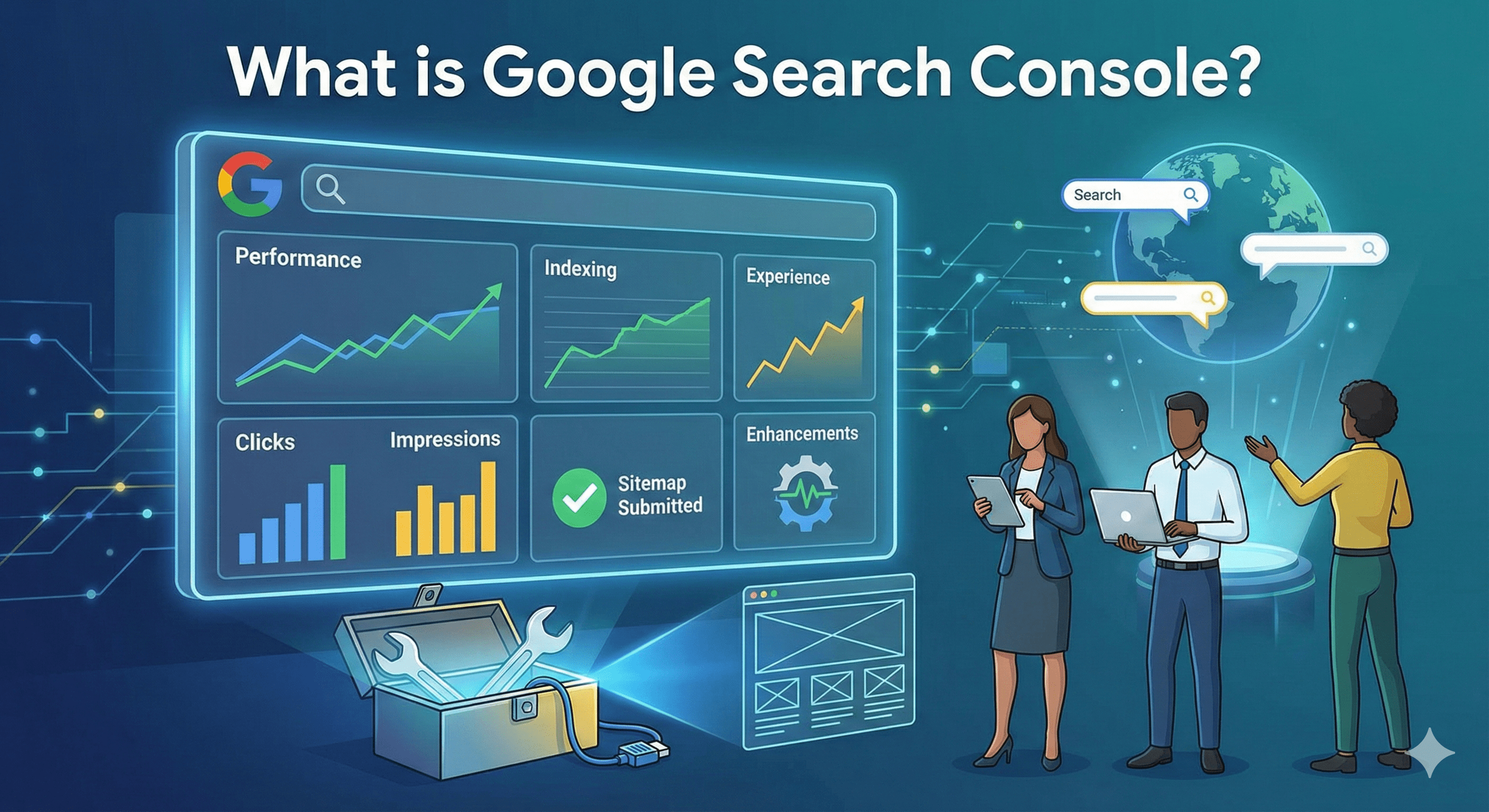
The ultimate GSC guide for beginners, SEOs, marketers, and website owners
Introduction
Google Search Console (GSC) is one of the most essential tools for anyone responsible for a website—whether you're a site owner, SEO professional, content creator, marketer, or developer. It provides direct insights from Google about how your site appears in search results, what keywords drive traffic, which pages perform well, and what technical issues may be blocking visibility.
GSC matters because SEO success depends on how search engines understand, crawl, index, and rank your website, and Search Console gives you the data to control and optimize that process. This complete guide takes you from beginner to advanced, covering setup, features, daily usage, troubleshooting, and strategic SEO workflows.
What Is Google Search Console? (Overview & Key Benefits)
Google Search Console Definition
Google Search Console is a free SEO tool by Google that helps you monitor your website’s performance in search results, fix indexing issues, and optimize content based on real search behavior.
What problems does GSC solve?
- Pages not getting indexed
- Sudden traffic drops
- Keyword performance gaps
- Core Web Vitals issues
- Crawl errors
- Security or manual penalties
- Incorrect canonicals, redirects, or structured data
GSC vs Google Analytics
| Feature | Google Search Console | Google Analytics |
|---|---|---|
| Measures | Search performance | User behavior |
| Data | Queries, clicks, impressions, indexing | Sessions, bounce rate, events |
| Purpose | SEO | UX, marketing, CRO |
Together, they form a strong SEO + analytics workflow.
More On
Google Search Console vs Google Analytics: Key Differences, Use Cases, and How to Use Both for SEOKey Features of Google Search Console
Performance Report
The Performance Report is one of the most valuable sections inside Google Search Console. It provides a complete breakdown of how your website appears and performs in Google Search. Every SEO professional relies on this report because it reveals exactly which queries users search, how often your pages appear, how many clicks you receive, and where your site ranks in the search results. This data is essential for keyword research, content optimization, and understanding user intent.
The report includes four major metrics: Clicks, Impressions, Click-Through Rate (CTR), and Average Position. Together, these give you a clear picture of your SEO performance across all queries and landing pages.
Page Indexing Reports
- Indexed pages
- Not Indexed pages
- Not found (404)
- Excluded by ‘noindex’ tag
- Duplicate without user-selected canonical
- Soft 404
- Alternate page with proper canonical tag
- Crawled - currently not indexed
Sitemap Management
Sitemap Management in Google Search Console helps Google quickly discover and understand the important pages on your website. Submitting an XML sitemap ensures faster crawling, better coverage, and improved indexing accuracy—especially for new content or large sites.
URL Inspection Tool
- Indexation status
- Canonical URL
- Live rendering
- Coverage details
Core Web Vitals
Using Core Web Vitals in Google Search Console, we evaluate real user performance through key metrics including LCP (Largest Contentful Paint) for loading performance, CLS (Cumulative Layout Shift) for visual stability, and INP (Interaction to Next Paint) for responsiveness. These insights are based on real-world user data and help identify performance issues that can impact search rankings and user experience.
Security & Manual Actions
Alerts for hacking and spam policy violations.
Links Report
Shows internal and external linking patterns.
Enhancements
Supports structured data types like FAQ, Product, and Breadcrumbs.
How to Set Up Google Search Console (Step-by-Step)
Add Property
- Domain property (recommended)
- URL-prefix property
Verify Ownership
- DNS record
- HTML file upload
- GA4 / GTM verification
- HTML tag
First Steps Checklist
- Submit sitemap
- Check coverage errors
- Confirm indexing
- Connect GA4
- Inspect key URLs
Understanding the GSC Performance Report
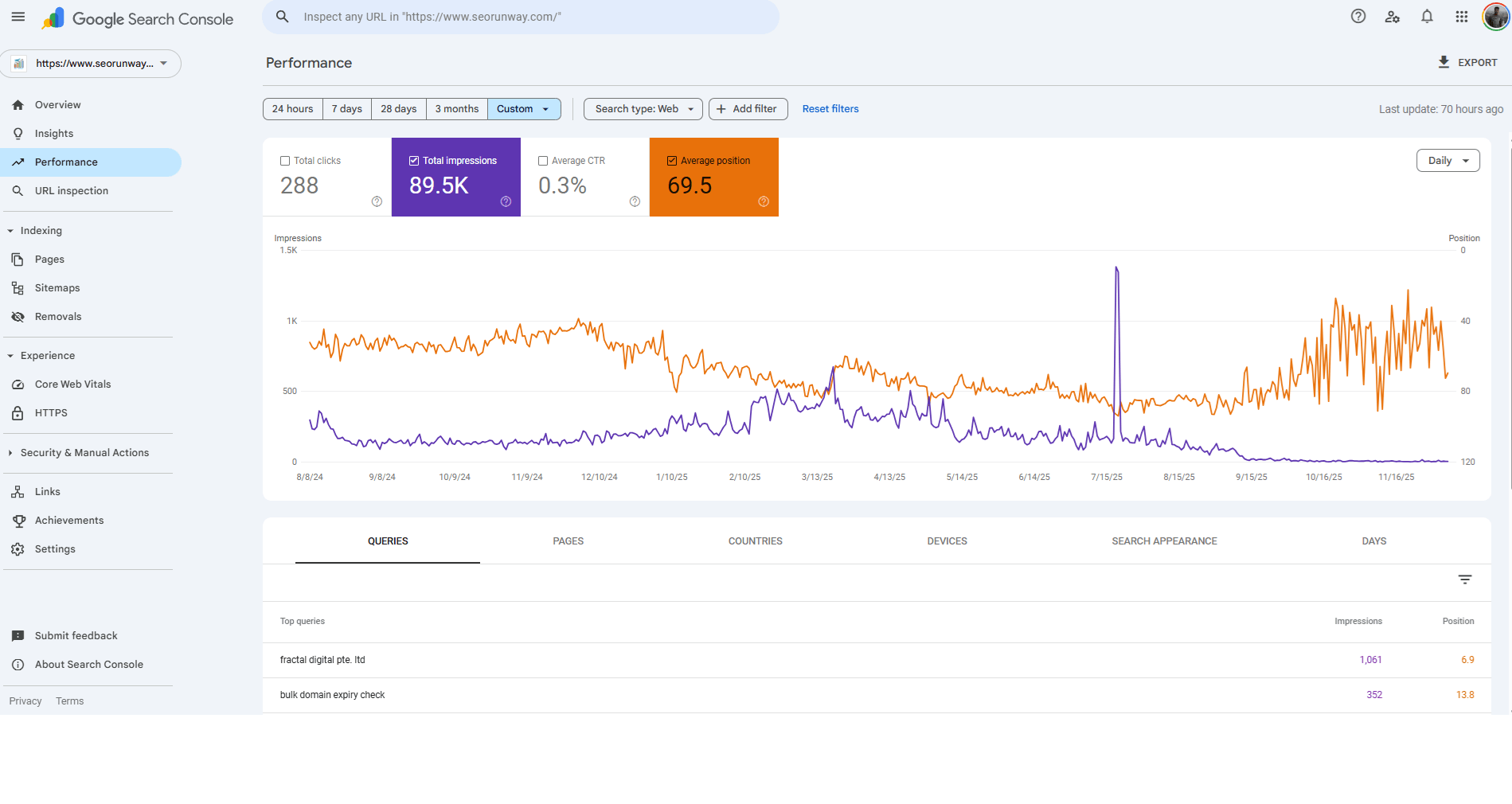
Four Key Metrics
- Clicks – Traffic from Google
- Impressions – Search visibility
- CTR – Click-through rate
- Position – Average ranking
Using Filters
- Queries
- Pages
- Devices
- Countries
- Search appearance
- Date comparison
How to Analyze Opportunities
- Low CTR + good impressions → update title/meta
- High impressions + low ranking → strengthen content
- High clicks but declining trend → content decay
Detailed Article on How to Use Google Search Console Performance Report?
Page Indexing Reports
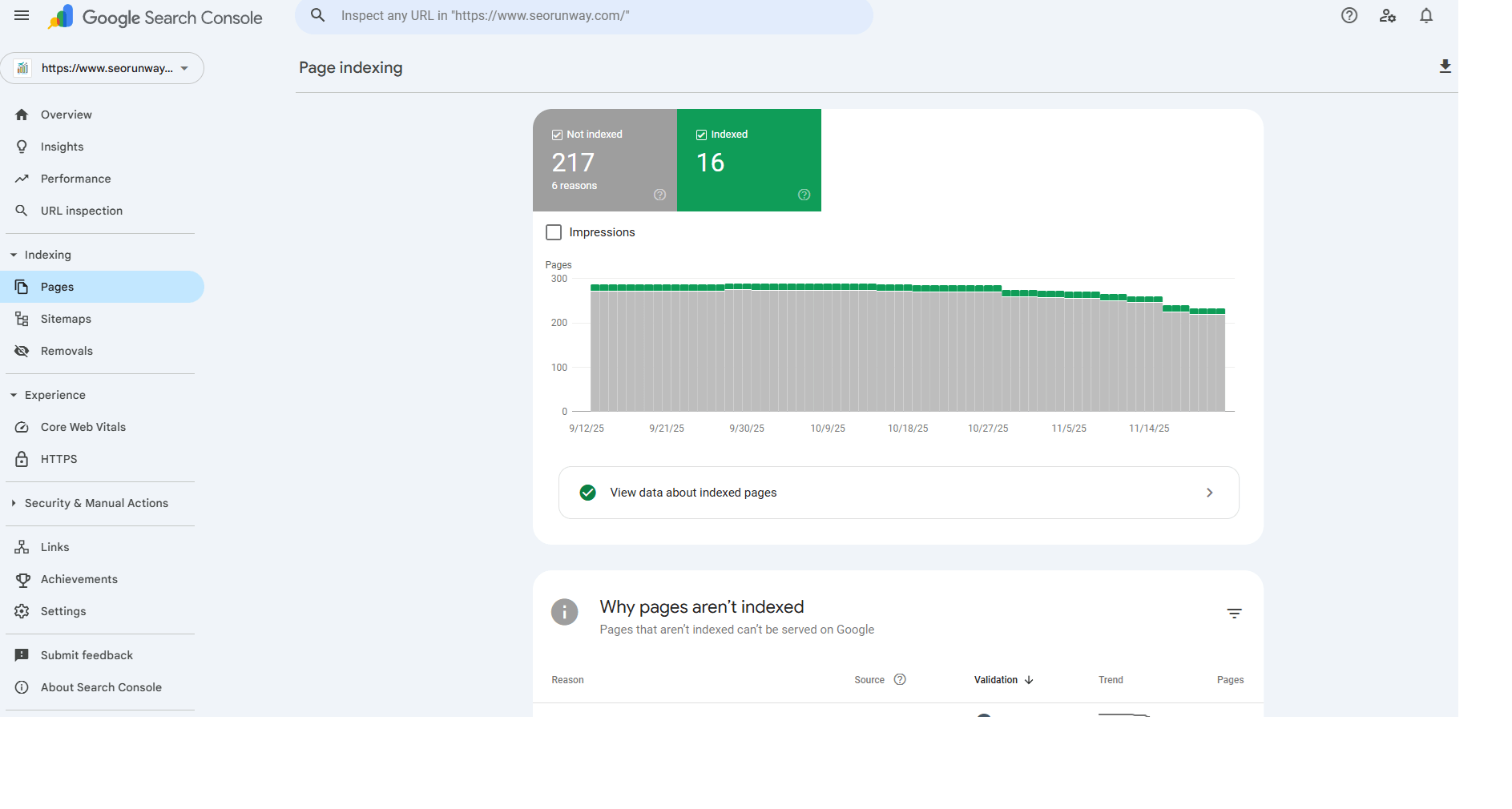
Indexing Status Types
- Indexed
- Not Indexed
Common Issues
- 404 errors
- Redirected
- “Crawled – currently not indexed”
- Soft 404
- Blocked by robots.txt
- Excluded by ‘noindex’ tag
- Duplicate without user-selected canonical
- Alternate page with proper canonical tag
Understanding GSC Indexing & Pages Reports
Submitting & Managing Sitemaps
Why Sitemaps Matter
They help Google understand important pages, update frequency, and site structure.
Submit Sitemap
yourdomain.com/sitemap.xml
Troubleshooting Errors
- Incorrect URLs
- 404 sitemap
- Non-canonical URLs in sitemap
- Unsupported formats
Fixing Indexing Issues in Google Search Console
Diagnostic Workflow
- Inspect the URL
- Check canonical
- Review coverage details
- Test live URL
- Check robots.txt & meta tags
- Request indexing
Common Fixes
- Improve content quality
- Resolve redirects
- Fix 404s
- Consolidate duplicates
How to Fix Indexing Issues in Google Search Console (Complete Guide)
Core Web Vitals & Page Experience Signals
Three Core Web Vitals
- LCP (Largest Contentful Paint)
- CLS (Cumulative Layout Shift)
- INP (Interaction to Next Paint)
Desktop vs Mobile
Mobile usually requires more optimization.
Transition from Old Page Experience Report
- Core Web Vitals
- Standalone experience signals
Additional Signals
- HTTPS
- Mobile friendliness
- No intrusive interstitials
- Security issues
Using GSC to Improve SEO (Workflow & Strategy)
SEO Workflow Example
- Identify queries with high impressions
- Improve on-page SEO
- Strengthen internal linking
- Track ranking improvements
- Fix coverage issues
- Re-evaluate every 30 days
Internal Linking Opportunities
Use the Links report to strengthen pages that need authority.
Google Search Console Errors & Fixes
Common Crawl Errors
- 404
- 500 server error
- Redirect chains
- Blocked by robots.txt
Core Web Vitals Failures
- Compress images
- Reduce CLS
- Improve server response time
Manual Actions
Requires cleanup and a reconsideration request.
Common Tools & Integrations
- GA4 linking
- Looker Studio
- Google Sheets
- SEO tools (Ahrefs, SEMrush)
- GSC API for automation
GSC for Advanced SEO
- Query segmentation
- Content decay analysis
- Index management strategy
- Structured data monitoring
- Template-level indexing checks
FAQ / Glossary
- What is an impression?
- What is indexing?
- “Crawled – not indexed” meaning
- Canonical URL
- Search appearance types
Conclusion
Google Search Console is one of the most powerful free SEO tools available. Whether you're a beginner or advanced SEO professional, mastering GSC helps you improve rankings, boost traffic, fix issues early, and make data-driven decisions.