How DNS Servers Work: A Beginner-Friendly Explanation (2026 Guide)
Every time you visit a website, send an email, watch a video online, or use a mobile app, an invisible network of systems works together to connect you with the correct destination. One of the most important components behind this process is the DNS server.
DNS servers are a fundamental part of modern internet technology. Without them, users would need to remember complex numerical IP addresses instead of simple website names like example.com or wikipedia.org.
Although billions of DNS requests occur daily, most internet users have little understanding of how DNS servers operate behind the scenes. Yet they are essential to website infrastructure, networking, and the overall functionality of the internet.
In this beginner-friendly guide, you'll learn what DNS servers are, how they work, the different types of DNS servers, how DNS lookups happen in milliseconds, common DNS records, security considerations, troubleshooting methods, and why DNS is critical to modern website technology.
What Is a DNS Server?
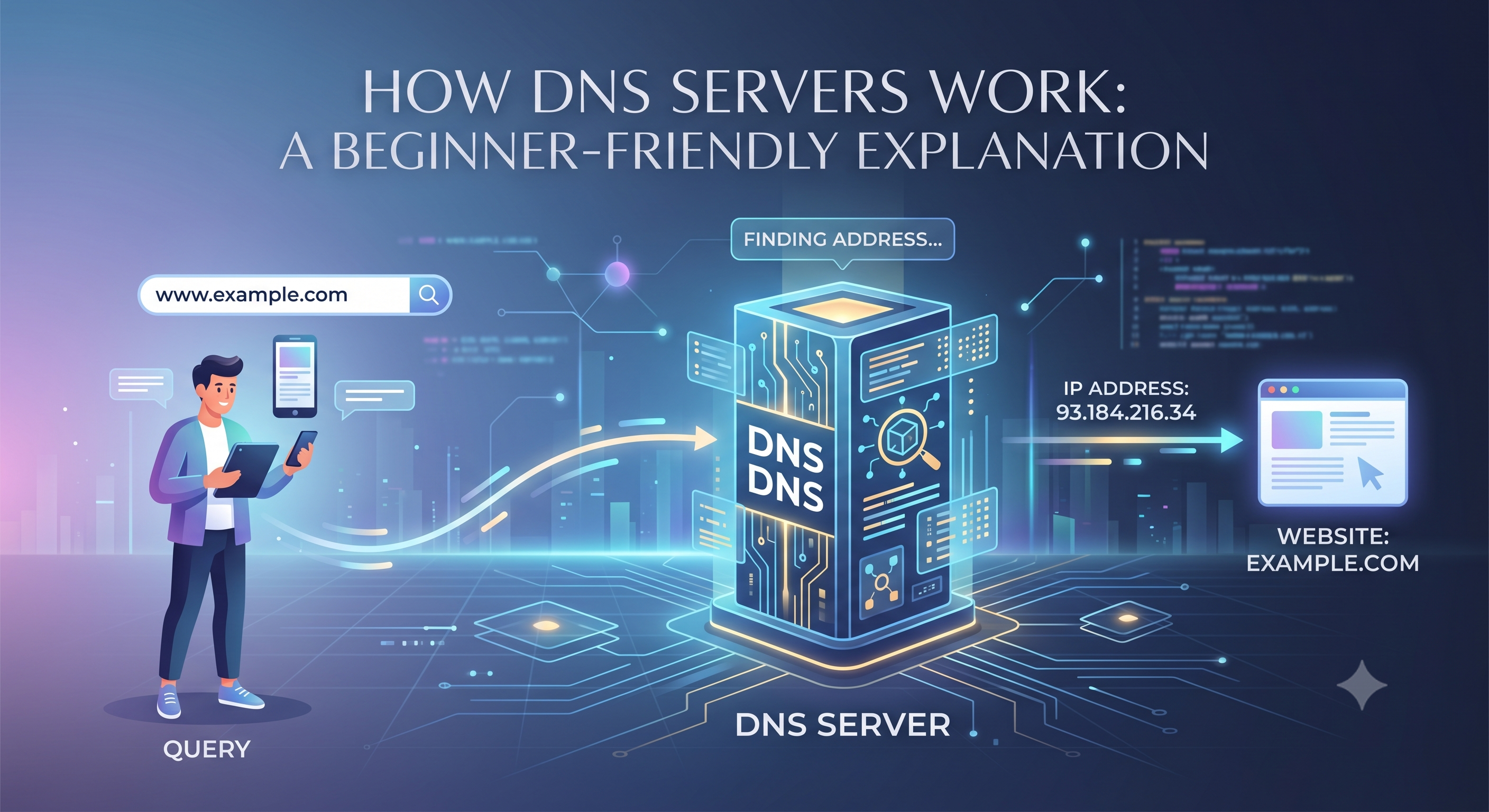
A DNS Server (Domain Name System Server) is a specialized server that translates human-readable domain names into machine-readable IP addresses.
For example, when you type:
- google.com
- amazon.com
- wikipedia.org
Your browser doesn't actually understand those names. Computers communicate using numerical IP addresses such as:
- 142.250.190.14
- 104.18.32.47
- 208.80.154.224
The DNS server acts as a translator, helping your device find the correct server associated with a website.
Simple Real-World Analogy
Imagine trying to call a friend. You search for their name in your phone contacts instead of memorizing their phone number.
DNS servers work similarly. They help your computer find the correct IP address when you enter a domain name.
Why DNS Servers Matter
Without DNS servers, using the internet would be extremely difficult.
Benefits of DNS Servers
- Make websites easy to access
- Support global internet infrastructure
- Enable scalable networking
- Improve user experience
- Simplify website management
- Allow businesses to build recognizable brands
DNS servers are often called the "phonebook of the internet" because they connect names with numerical addresses.
How DNS Servers Work
Whenever you visit a website, a DNS lookup process begins automatically.
This process usually takes only a fraction of a second.
Step-by-Step Example
- You enter a website address into your browser.
- Your device checks its local DNS cache.
- If no cached result exists, a DNS query is sent.
- Several DNS servers work together to locate the correct IP address.
- The IP address is returned to your browser.
- Your browser connects to the website server.
- The webpage loads.
All of this typically happens in milliseconds.
The Four Main Types of DNS Servers
DNS is not powered by a single server. Multiple server types work together to complete a lookup request.
1. Recursive Resolver
The recursive resolver is usually the first DNS server contacted during a lookup.
It acts as an intermediary between your device and the DNS system.
Common Providers
- Internet Service Providers (ISPs)
- Google Public DNS
- Cloudflare DNS
- OpenDNS
2. Root Nameserver
Root nameservers sit at the highest level of the DNS hierarchy.
They don't know the exact IP address of every website but know where to find information about top-level domains.
Examples include:
- .com
- .org
- .net
- .io
- .ai
3. TLD Nameserver
TLD stands for Top-Level Domain.
These servers manage information for domain extensions.
For example:
- .com registry servers
- .org registry servers
- .net registry servers
The TLD server directs queries toward the authoritative server for a specific domain.
4. Authoritative Nameserver
The authoritative nameserver contains the final DNS records for a domain.
It provides the exact IP address requested by the user.
This completes the DNS lookup process.
DNS Lookup Process Explained in Detail
Let's examine what happens when someone visits a website.
Example: Visiting example.com
- Browser requests example.com.
- Resolver checks cache.
- If not cached, query goes to root server.
- Root server points to .com TLD server.
- TLD server identifies authoritative nameserver.
- Authoritative server returns IP address.
- Browser connects to website server.
- Website loads.
This entire sequence occurs almost instantly.
DNS Records Explained
DNS servers store information using various record types.
A Record
Maps a domain to an IPv4 address.
AAAA Record
Maps a domain to an IPv6 address.
CNAME Record
Creates an alias that points one domain to another.
MX Record
Directs email traffic to mail servers.
TXT Record
Stores verification and security information.
NS Record
Specifies which nameservers manage the domain.
DNS Caching and Speed
If every website visit required a complete DNS lookup, internet browsing would be slower.
To improve speed, DNS systems use caching.
Where DNS Is Cached
- Web browsers
- Operating systems
- Routers
- Recursive resolvers
Cached DNS records help websites load faster and reduce server workloads.
DNS and Website Infrastructure
DNS is one of the most important components of website infrastructure.
Without DNS, visitors would have difficulty locating websites and online services.
DNS Supports
- Website hosting
- Email delivery
- Cloud applications
- Content delivery networks (CDNs)
- Load balancing
- Disaster recovery systems
Virtually every online service relies on DNS.
DNS Propagation Explained
When DNS records change, updates do not become visible worldwide immediately.
This process is called DNS propagation.
Common Reasons for DNS Changes
- Changing hosting providers
- Updating nameservers
- Adding DNS records
- Website migrations
- Email service configuration
DNS propagation may take anywhere from a few minutes to 48 hours.
DNS Security and Cybersecurity
Because DNS is so important, it is frequently targeted by cybercriminals.
Common DNS Attacks
- DNS spoofing
- DNS cache poisoning
- DDoS attacks
- Domain hijacking
- Phishing attacks
Security Best Practices
- Enable DNSSEC
- Use secure DNS providers
- Activate domain lock
- Enable two-factor authentication
- Monitor DNS changes regularly
Strong DNS security protects both websites and users.
Popular Public DNS Servers
Many users choose alternative DNS providers for better performance and privacy.
Popular Options
- Google Public DNS (8.8.8.8)
- Cloudflare DNS (1.1.1.1)
- OpenDNS
- Quad9
Each provider offers different performance, privacy, and security benefits.
How DNS Affects Website Performance
DNS response time directly impacts how quickly users can reach a website.
Performance Benefits of Fast DNS
- Reduced latency
- Faster page loading
- Improved user experience
- Better website reliability
- Enhanced scalability
Modern DNS providers often use global networks to minimize lookup times.
Domain Registration and DNS Management
DNS settings are usually managed through a domain registrar or DNS hosting provider.
Common DNS Management Tasks
- Updating nameservers
- Adding MX records
- Creating subdomains
- Configuring website hosting
- Managing email services
Effective DNS management helps ensure reliable website operation.
Monitor Domain Expiration to Protect DNS Services
DNS servers depend on active domain registrations. If a domain expires, DNS records may stop functioning, causing websites and email services to become unavailable.
To prevent service interruptions, website owners should regularly use a domain expiry checker to monitor domain registration status and renewal deadlines.
Benefits of Tracking Domain Expiration
- Prevents website downtime
- Protects DNS functionality
- Maintains email services
- Reduces business risk
- Avoids costly domain recovery processes
You can also use a check domain expiration date tool to verify registration details and upcoming expiration dates.
Frequently Asked Questions
What Does a DNS Server Do?
A DNS server translates domain names into IP addresses so computers can locate websites.
Why Are DNS Servers Important?
They make the internet easy to use by allowing people to navigate using domain names instead of numerical addresses.
How Fast Is a DNS Lookup?
Most DNS lookups occur within milliseconds.
Can I Change My DNS Provider?
Yes. Many users switch to providers such as Cloudflare or Google Public DNS.
What Happens If DNS Fails?
Users may be unable to access websites even if the website server itself is operational.
Final Thoughts: Understanding DNS Servers in 2026
DNS servers are one of the most critical pieces of internet technology. They quietly power billions of website visits, email deliveries, and online interactions every day by translating domain names into IP addresses.
Understanding how DNS servers work provides valuable insight into networking, website infrastructure, cybersecurity, and modern internet operations. Whether you're a website owner, developer, marketer, or curious internet user, learning the fundamentals of DNS helps you better understand how the web functions behind the scenes.
As websites and online services continue to grow, DNS will remain one of the most important technologies supporting the global internet.